Meet your stay
Introduce the hosts, rooms, shared spaces, and the character of your home with approved photographs.

Explore a homestay website with clear business information, photographs, and contact options for your customers.
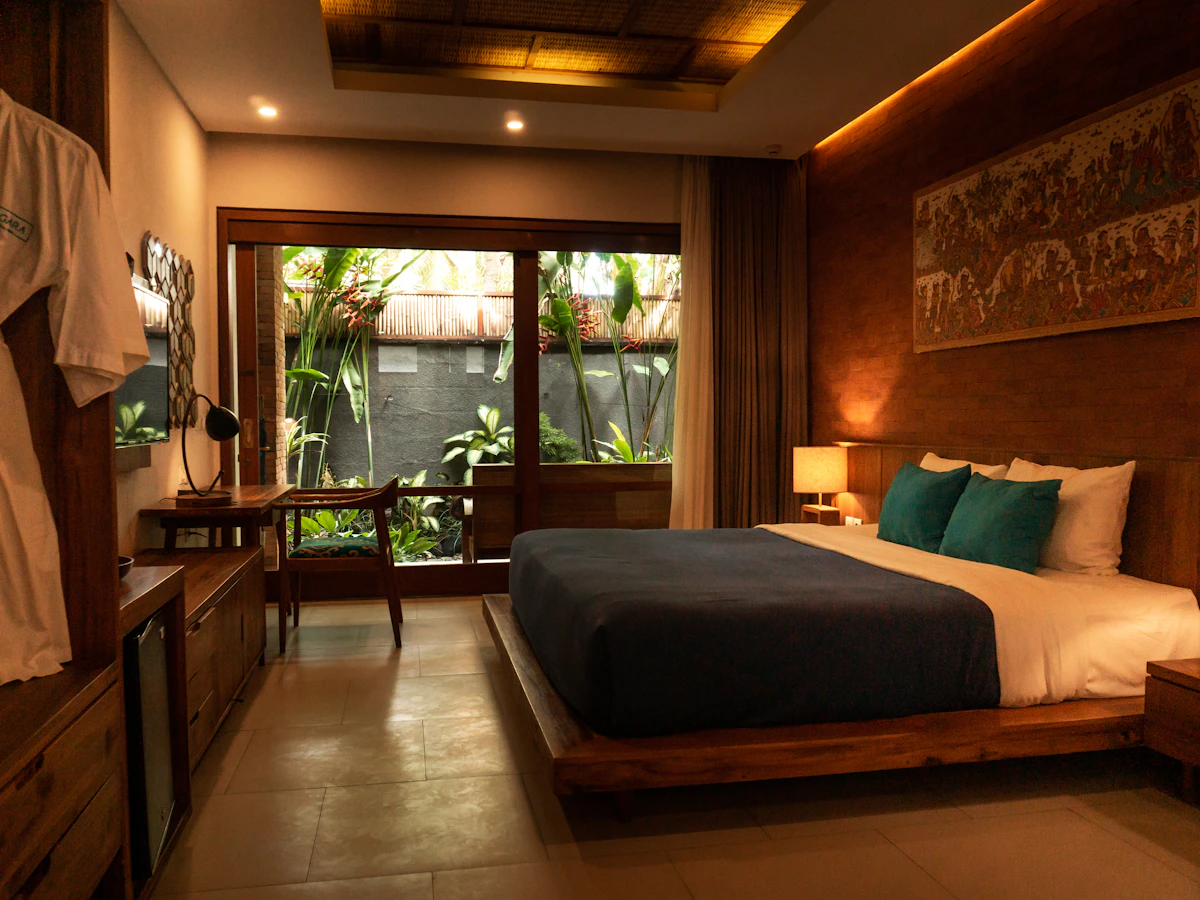
Give your homestay a useful home online. Introduce the hosts, rooms, shared spaces, and the character of your home with approved photographs. Bring the details visitors need together before they contact or visit you.
Introduce the hosts, rooms, shared spaces, and the character of your home with approved photographs.
Explain meals, arrival arrangements, house rules, accessibility, and nearby places to explore.
Keep your address, directions, phone, and WhatsApp enquiry links together so visitors can take the next step.
A useful website answers the questions people have before they contact you. Here is how the content and structure can support your business.
A homestay page can explain the character of the property and how hosting works. Introduce the host, the surrounding area, and the kind of experience guests can expect. Be clear about whether rooms, entrances, kitchens, or living spaces are shared so visitors can choose a stay that matches their preferences.
Give each accommodation option clear photographs and details about beds, bathrooms, meals, and available facilities. Explain check-in arrangements, parking, connectivity, and house rules in a welcoming, practical tone. If access involves stairs, a steep approach, or a remote road, describe it plainly so guests can plan their arrival.
Share a few places to explore, local food experiences, and arrival suggestions based on the host’s knowledge. Keep travel descriptions realistic and distinguish host-arranged activities from independent suggestions. Booking enquiries should collect dates and guest numbers, with availability and final arrangements confirmed by the person managing the homestay.
A host introduction, room photographs, shared-space details, meal arrangements, house rules, arrival instructions, local suggestions, and the booking enquiry contact.
Your branding, photographs, and business information give your website a familiar identity for your customers.
We shape the website around the information your customers need and the way your team handles enquiries.
Tell us about your business, the people you serve, and the questions you answer most often. Together we identify the pages, contact routes, and any additional integrations needed. Confirming these requirements early gives the design and content a clear direction.
Collect your photographs, service details, contact information, and brand assets. Review the page copy with the person who knows the business best, checking names, prices, schedules, and descriptions. Real, accurate information makes the finished website more useful than placeholder content.
Decide who will report changes to your services, opening hours, offers, or team. Agree how updates will be handled under your chosen package and review time-sensitive information regularly. A website remains helpful when its published details match what customers will find when they contact you.
Practical answers to help you get the most from your showcase website.
Describe the rooms and shared spaces honestly, introduce your hosting approach, and explain meals, house rules, and arrival arrangements.
Yes. These details help guests understand the stay before enquiring. Cover shared facilities, meal arrangements, quiet hours, and check-in expectations using clear descriptions alongside photographs of the relevant spaces.
Yes. Your website and profile can point customers to consistent business details, your location, and contact options. Keep the business details consistent across both. Explore Google Business Profile assistance.
Use your logo, photographs, service or product descriptions, and current contact details. Clear, accurate content helps visitors recognise your business and understand what you offer. View the website plans and package details.
Give your business a clear, professional presence online. Explore website features and choose the plan that suits your needs.